
SAP PP Troubleshooting: A Practical Guide to Solving Real-World Production Planning Issues
Learn how to identify symptoms, investigate root causes, resolve SAP Production Planning issues and prevent recurring problems.
SAP Production Planning (PP) connects demand, materials, production resources, planning decisions and shop-floor execution. When something goes wrong, the visible symptom is often only the beginning of the problem.
A production order may fail because of master data. MRP may complete but produce unexpected results. A work center may show incorrect capacity. A component may not be consumed during confirmation. A process order may not use the expected recipe or production version.
For an SAP PP consultant, effective troubleshooting means knowing where to investigate, what evidence to collect, how to isolate the root cause and how to validate the solution.
Why SAP PP Troubleshooting Requires a Structured Approach
Many Production Planning issues look similar from the user's perspective but can originate in different layers of SAP. A planning problem may actually be caused by material master settings, BOM validity, routing data, production-version selection, configuration, planning parameters, capacity settings or integration.
A Practical SAP PP Troubleshooting Flow
- Identify the exact symptom — capture the error, material, plant, order, date and business impact.
- Reproduce the issue — determine whether it is consistent or scenario-specific.
- Check master data — material, BOM, routing, work center, production version or recipe.
- Check planning and configuration — verify relevant parameters and control data.
- Review system evidence — planning results, documents, logs and error records.
- Identify the root cause — separate data, configuration, process, integration and technical causes.
- Apply the controlled resolution — correct the cause rather than masking the symptom.
- Validate end-to-end — retest the business process.
- Prevent recurrence — document the cause and improve the relevant control.
1. Basic Data: BOMs, Routings and Work Centers
Basic data is one of the first places to investigate when SAP PP behaves unexpectedly. BOMs, routings, work centers and production versions determine how a material is planned and manufactured.
A production order does not contain the expected components or appears to use an older BOM version.
ROOT-CAUSE CHECKS- BOM validity dates do not cover the relevant production dates.
- The production version points to another BOM alternative.
- The BOM changed after the planning proposal or order was created.
- The explosion date or master-data selection is incorrect.
- Review the BOM in CS03/CS02.
- Check validity dates and BOM usage.
- Review the production version in C223 where applicable.
- Compare the BOM used by the order with current master data.
- Re-read or re-explode master data only after understanding the business impact.
A production or process order cannot be created because SAP cannot determine a valid production version.
- Check production-version validity and lot-size range.
- Check BOM usage and production suitability.
- Verify routing or recipe assignment.
- Check material/plant master-data consistency.
- Review production-version selection and relevant configuration.
Because this message can have multiple master-data and selection-related causes, investigate the exact error context rather than assuming the production version is simply missing.
Work Center and Routing Troubleshooting
If operations are missing, scheduling is incorrect or capacity results do not match reality, review the routing in CA03 and work center in CR03/CR02. Check operations, assigned work centers, standard values, capacities, availability and formulas.
2. Sales & Operations Planning (SOP)
SOP helps align demand expectations with production planning. Troubleshooting should establish whether the planning data is in the correct version, period and planning context and whether it is transferred or consumed as intended.
Common SOP Troubleshooting Areas
- Planning version issues: verify the correct version, horizon and active planning data.
- Forecast not reaching downstream planning: check the transfer process and resulting requirements.
- Unexpected quantities: review planning strategy, consumption behavior and existing requirements.
- Planning mismatch: compare SOP figures with demand-management and MRP-relevant requirements.
3. Material Requirements Planning (MRP)
MRP is one of the most important SAP PP troubleshooting areas. SAP describes MRP as a function that calculates material acquisition plans needed to meet production plans and customer demand. When MRP results are unexpected, analyze the complete planning situation rather than looking only at the final planned order.
- Open MD04 and review stock, requirements and receipts.
- Check whether available stock or safety stock already covers the requirement.
- Review MRP type and lot-sizing procedure in MM02.
- Check procurement type and special procurement settings.
- Verify the material is included in the relevant planning run.
- Review the MRP log and planning results.
- Review lot-sizing procedure and lot-size limits.
- Check existing firmed or manually changed planning proposals.
- Review safety stock and available quantity.
- Check planning horizon and scheduling parameters.
- Review demand and supply dates.
- Check planning strategy and requirement consumption.
MRP troubleshooting tip: Ask not only “Why didn't MRP create an order?” but “What requirement did MRP see, what supply already existed, what parameters were active, and what planning decision followed?”
MRP Performance and Technical Investigation
When MRP performance becomes a concern, investigate planning scope, data volume, custom enhancements, background processing and the relevant S/4HANA planning approach. In appropriate environments, SAP-related support guidance also points to PP_MRP_SUPPORT as a support tool. Performance investigations should be based on measured system evidence.
4. Shop Floor Control / Discrete Manufacturing
Shop Floor Control troubleshooting focuses on production orders, scheduling, confirmations, component consumption and goods movements.
- Capture the exact error message.
- Check BOM and routing availability.
- Verify production version and validity.
- Check work center and calendar information.
- Review order type and production-scheduling settings.
- Correct the root cause and repeat the process.
- Review the operation and control key.
- Check whether backflush is configured for the relevant process.
- Review confirmation and material-document results.
- Check error records such as COGI where applicable.
- Verify order and component consistency.
Capacity Problems
If a work center shows unexpected overload or underload, inspect available capacity, shifts, breaks, formulas and routing standard values. Compare planned capacity with the actual production calendar and check whether confirmations correctly reduce remaining requirements.
5. Repetitive Manufacturing (REM)
REM is designed for production environments where materials are produced repeatedly on production lines. Troubleshooting therefore requires attention to REM-specific master data, planning and backflush processes.
Common REM Issues
- Backflush problems: check REM execution settings, components and posting results.
- Planning anomalies: verify REM-related master data, production version and planning setup.
- Incorrect production quantities: trace the requirement from planning through execution.
- Costing or settlement concerns: check the relevant Product Cost Collector and controlling setup where applicable.
6. Process Industries (PP-PI)
PP-PI introduces process-oriented manufacturing concepts such as process orders, master recipes and phases. Troubleshooting therefore requires checking both production master data and process-specific execution settings.
- Review the process order and master data selected for it.
- Check the production version and validity.
- Review the master recipe and phase-level assignments.
- Verify component and resource data.
- Compare selected master data with the intended manufacturing process.
- Repeat the process after correcting the root cause.
When operators do not receive expected process instructions, investigate process-order status, recipe phase data and relevant control-recipe destination or configuration. Establish whether the issue is in master data, configuration or execution status.
7. A Universal SAP PP Issue-Resolution Method
| Stage | Key Question | Typical Evidence |
|---|---|---|
| Symptom | What exactly is failing? | Error message, missing document, unexpected quantity/date |
| Scope | Is it one material, plant, order or all objects? | Comparison with a working example |
| Master Data | Is the required PP master data correct? | Material, BOM, routing, work center, PV, recipe |
| Configuration | Is SAP configured for the intended process? | Order settings, planning parameters, control data |
| Execution | Did the process run as expected? | Planning results, confirmations, documents, logs |
| Root Cause | What caused the behavior? | Evidence-based comparison and testing |
| Resolution | What is the safest correction? | Controlled change |
| Validation | Did the complete process work? | End-to-end retest |
| Prevention | How can recurrence be avoided? | Documentation, controls and training |
8. Common SAP PP Troubleshooting Mistakes
- Changing configuration before collecting evidence.
- Looking at only one transaction. PP processes are interconnected.
- Ignoring master-data validity. Dates, lot sizes and production-version ranges matter.
- Assuming every MRP problem is an MRP configuration problem.
- Fixing the document without finding the root cause.
- Not comparing the failing scenario with a working scenario.
9. Why Real-World SAP PP Issues Matter in Interviews
Strong SAP PP interviews often move beyond definitions. Candidates may be asked how they would investigate an MRP result, troubleshoot a production-order error, analyze a BOM or routing issue, or handle a production-support incident.
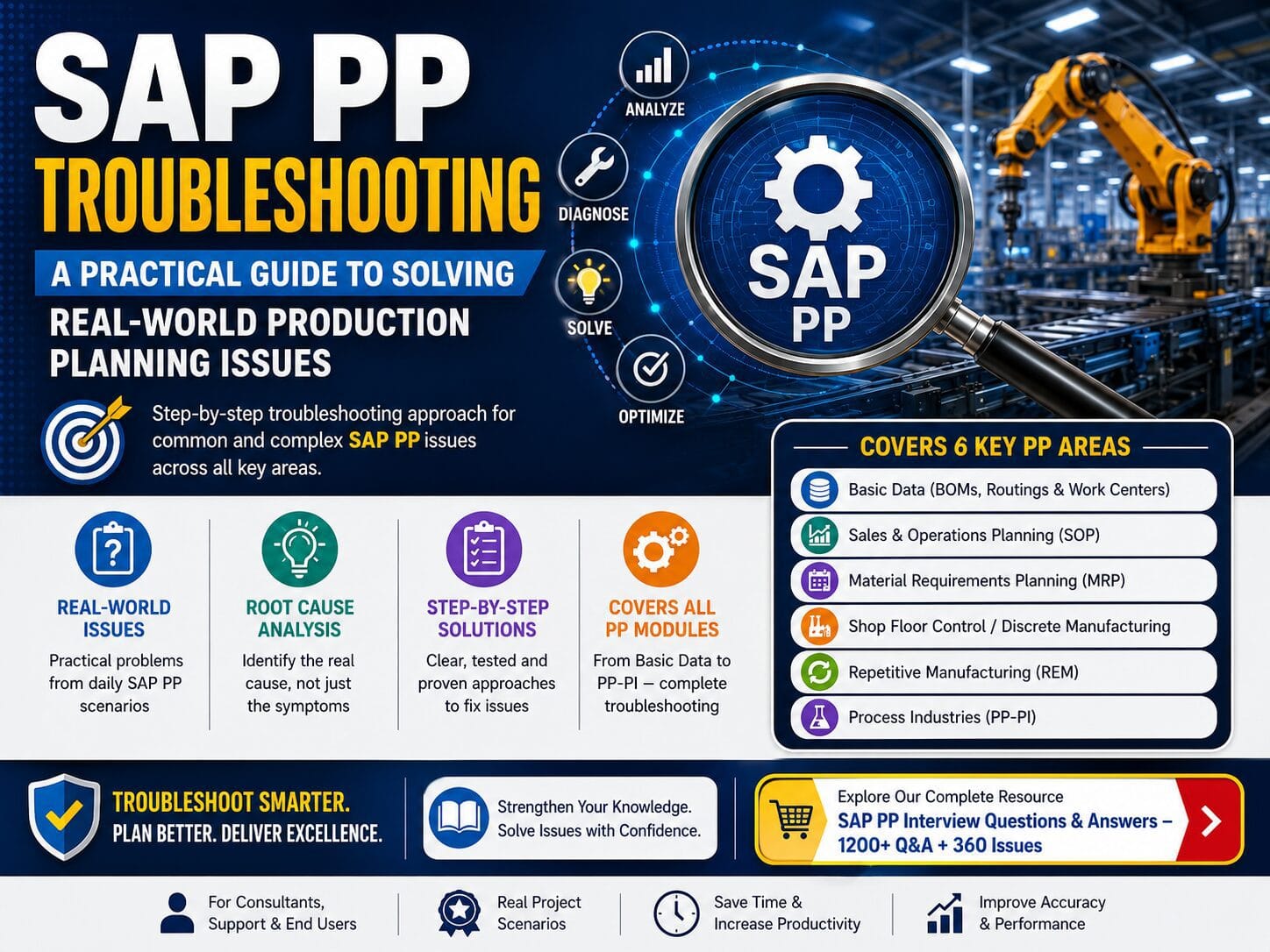
10. SAP PP Troubleshooting Across Six Major Areas
🔵 Basic Data
BOMs, Routings, Work Centers and Production Versions.
🟢 Sales & Operations Planning
Planning versions, demand signals, planning horizons and downstream planning.
🟣 Material Requirements Planning
Planning runs, requirements, receipts, lot sizing and MRP results.
🟠 Shop Floor Control / Discrete Manufacturing
Production orders, confirmations, capacity, backflush and goods movements.
🔷 Repetitive Manufacturing
Production-line planning, repetitive execution and backflush processes.
🟤 Process Industries
Process orders, master recipes, phases and process execution.
11. Build Your SAP PP Troubleshooting Skills
For each issue you practice, ask four questions:
- What is the business impact?
- What evidence should I collect first?
- What are the most likely root causes?
- How will I validate the resolution?
This approach helps transform an unclear user complaint into a structured, evidence-based resolution.
📘 Want More SAP PP Interview Questions & Real-World Issue Resolutions?
Explore our comprehensive SAP PP resource with 1,200+ Interview Questions & Answers and 360 Issue Resolutions across six major SAP PP sub-modules.
Basic Data • SOP • MRP • Shop Floor Control / Discrete Manufacturing • REM • PP-PI
SAP PP Interview Questions & Answers – 1200+ Q&A + 360 IssuesFrequently Asked Questions
It is the structured process of identifying, analyzing and resolving issues affecting Production Planning, master data, MRP, production execution, capacity, REM or PP-PI.
Start with the exact symptom and error message, establish the scope and check relevant master data before changing configuration.
MD04 provides a material-level view of stock, requirements and receipts and is a useful starting point for many planning investigations.
BOM and routing problems, production-version selection, MRP results, production-order errors, capacity issues, confirmation and backflush problems, REM issues and PP-PI process-order/master-recipe issues.
Yes. Scenario-based troubleshooting demonstrates practical understanding beyond memorized definitions and transaction codes.
Conclusion
SAP PP troubleshooting is fundamentally about structured problem solving. The strongest consultants understand the business symptom, collect evidence, trace the process, verify master data and configuration, identify the root cause, apply a controlled solution and validate the complete process.
From BOM and routing issues to MRP planning problems, from production-order and capacity issues to REM and PP-PI scenarios, a disciplined approach makes troubleshooting faster, clearer and more reliable.
Understand the process. Investigate the evidence. Find the root cause. Resolve it correctly.